Keep the Farm Books
Income, expenses, profit & taxes
Most of your bookkeeping happens automatically as you use the app. This guide starts with the one place you type money in by hand, then shows everything that fills itself in.
1 · Record it in Finance (free)
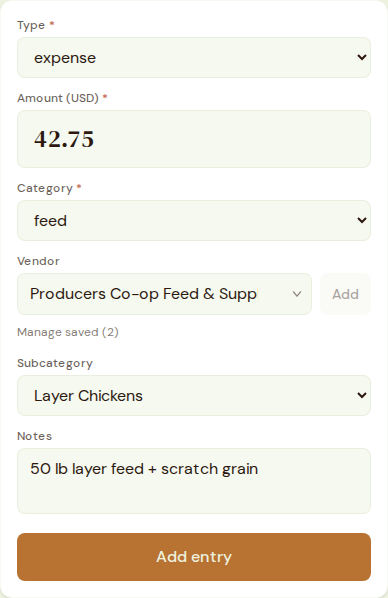
Open Finance. Pick Type (income or expense), an Amount, and a Category — feed, vet, fuel, supplies, eggs, produce sales, and more. Many categories offer a Subcategory (which animal group the cost is for), plus optional Vendor and Notes, then Add entry.
2 · What records itself
A lot of Finance fills in without you touching this form:
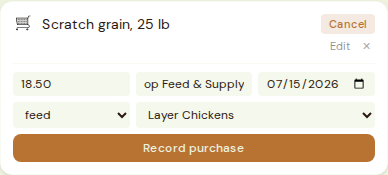
- 1Shopping list: mark an item Bought, confirm price/vendor/category, and it becomes a Finance expense automatically — no double entry.
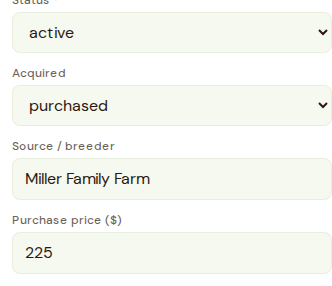
- 2Animal purchases: set an animal's Acquired to "purchased" on its roster entry with a Purchase price, and it mirrors into Finance under the livestock category.
- 3Vet visits: a cost logged on a Medical record mirrors into Finance under vet, tagged to that animal group.
3 · See the picture
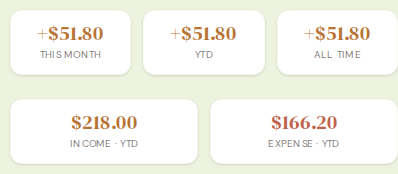
The Finance page itself is your dashboard: this month, year-to-date, and all-time totals, plus income/expense broken down by category. Stats and Year roll Finance in alongside every other module for a whole-homestead view.
4 · Plus — the Farm Ledger
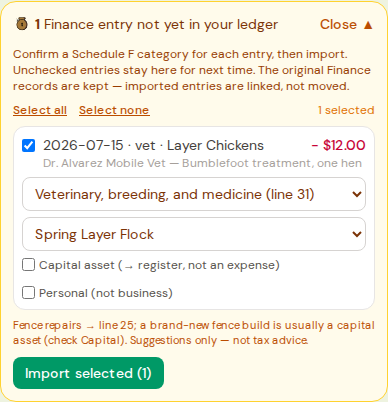
Farm Ledger tags costs and income to enterprises(Egg Layers, Sheep, a garden bed) so you see real per-enterprise profit — free Finance entries don't do this on their own. Its Logtab shows a "Pull in from Finance" banner: confirm a category and enterprise per entry, then import.

5 · Schedule F at tax time
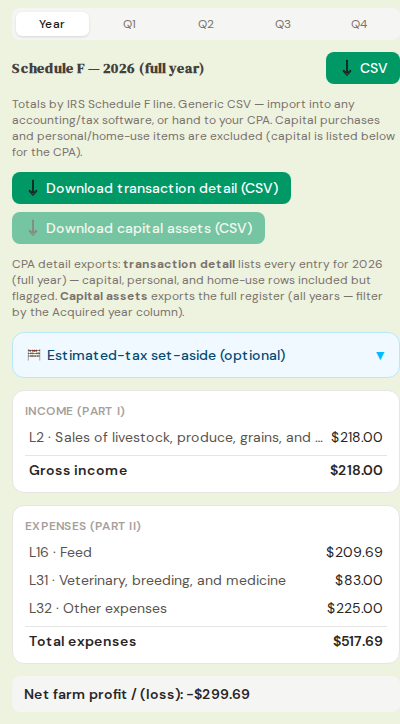
Every Ledger entry carries an IRS Schedule F line; the Tax tab totals income and expenses by line and offers spreadsheet downloads — Schedule F totals, every transaction, and a list of your big equipment purchases — ready to hand your CPA. An optional Estimated-tax set-aside helper suggests a quarterly reserve from net farm profit, off by default. Not tax advice — it organizes the numbers so a CPA can file them.
6 · Plan before you spend: Enterprise Budget
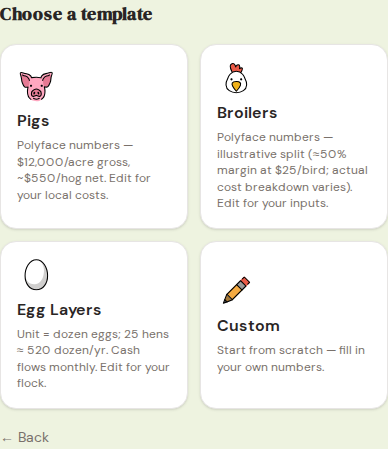
Before committing money to a new enterprise, Enterprise Budget uses Polyface-style templates (Pigs, Broilers, Egg Layers, or Custom) to estimate margin, breakeven price, and annual net from a few cost inputs. Free plan includes one enterprise budget; Plus unlocks unlimited enterprises plus the Stacking planner (all enterprises combined, monthly cash flow, acreage allocation).